
1. Go to the JailCore Login screen.
2. Click the GateKeeper helmet icon in the username field, and click "+ Add a password".
3. Once it opens, GateKeeper Password Vault and "Add password to GateKeeper", fill out your username, password, and confirm password fields.
- Select "Set as default password for this website".
- Click "Save Password".
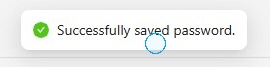
4. It will notify you that the password has been saved successfully.
5. Now, go back to the JailCore login screen and press F5 to refresh the web browser.
- It will autofill your credentials. Click "Sign In" to log in to JailCore.
For any additional questions or concerns regarding faster 2FA, proximity settings, computer locking, password management, or compliance, please contact GateKeeper Enterprise support using the Support Ticket form on https://gkaccess.com/support/ or email support@gkaccess.com.
Comments
0 comments
Please sign in to leave a comment.