
How to create a portal account.
This article will walk you through creating your own GateKeeper Portal account.
1. Go to https://gkaccess.com

2. Click "Portal Login".

3. Click "Sign Up".

4. Fill out your information (First name, Last name, Industry, Company, Phone number, Email address, password, and confirmed password).

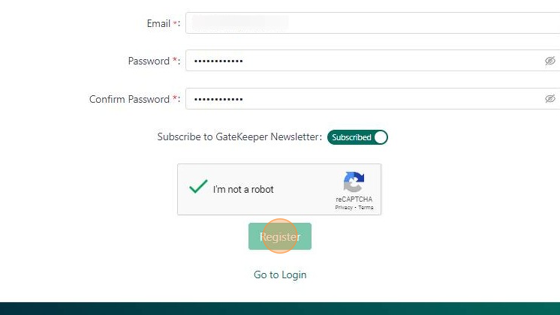
5. Click "I'm not a robot".

6. Click "Register".
7. You will get a verification link sent to your email. Click "OK". Go to your email and "Activate your license".

If you have any further questions, IT problems that need to be addressed, or compliance problems that need to be solved, please visit www.gkaccess.com or contact us at info@gkaccess.com or (240) 547-5446 to see how GateKeeper Enterprise can automate digital security for your end-users and admins.
Comments
0 comments
Please sign in to leave a comment.