
The Alerts page has two types of alerts: User Alerts and System Alerts. Alerts can be sent to the IT admin via desktop notification, email, or SMS text.
User Alert comprises computers, users, and events that are sent from the client application. These types of notifications are triggered by user and computer Events. User Alerts are configured by your team.
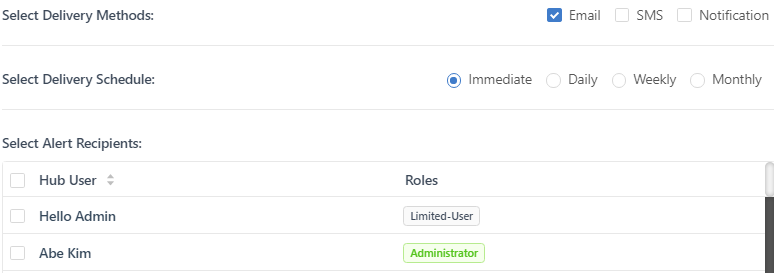
System Alerts are pre-configured for notifying Hub admins of low batteries or software updates. When a new GateKeeper administrator is created, they are automatically added to this group and will receive notifications. Only the status and delivery options can be changed.
If you wish to set up an alert, please see How to Set up an Alert in GateKeeper.
For any additional questions or concerns regarding alerts, proximity settings, computer locking, credential management, or compliance, please contact GateKeeper Enterprise support using the Support Ticket form on https://gkaccess.com/support/ or email support@gkaccess.com.
-----------------------
What are alerts based on in GateKeeper?; How do alerts work in GateKeeper?; gatekeeper alerts; alerts in GateKeeper; GateKeeper Enterprise alerts; how to set alerts in GateKeeper; what are alerts in GateKeeper; GateKeeper alert system; alerts in GateKeeper explained; GateKeeper alerts explained; how to use alerts in GateKeeper; system alerts in GateKeeper; user alerts in GateKeeper;
Comments
0 comments
Please sign in to leave a comment.